


Santa Color By Number Games
4.828.00 Reviews
App Specs
- Version
- 1.0.5
- Updated On
- License
- Free
- Downloads
- 10,000+
- Developer
- Art Coloring Group
- Categories
- Board
- Platform
- Android
Screenshots
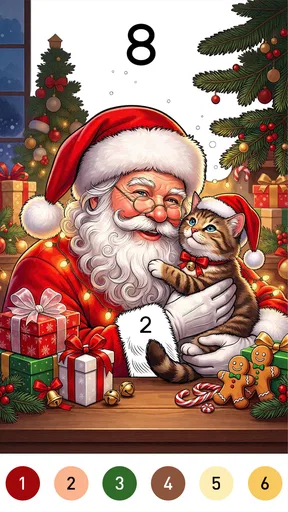
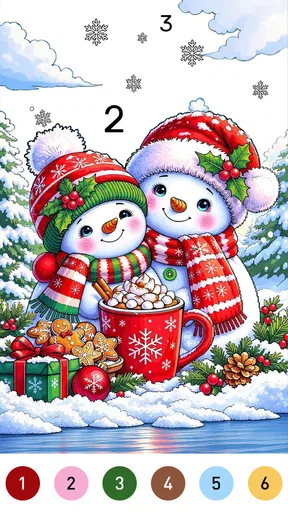
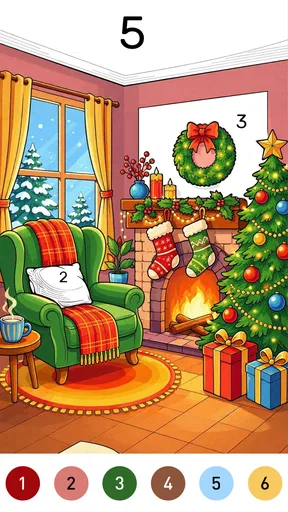
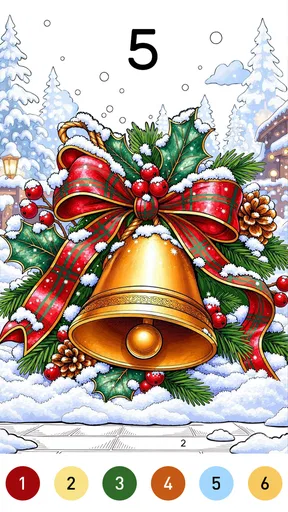
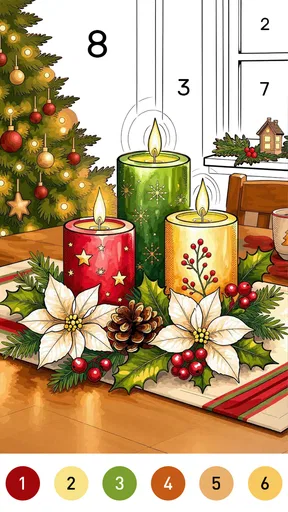
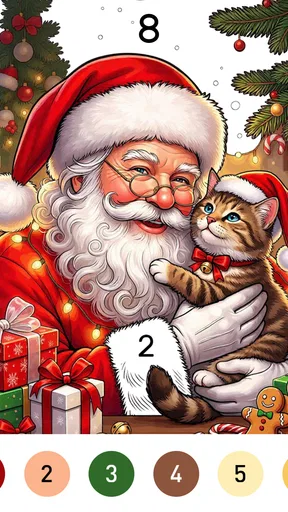
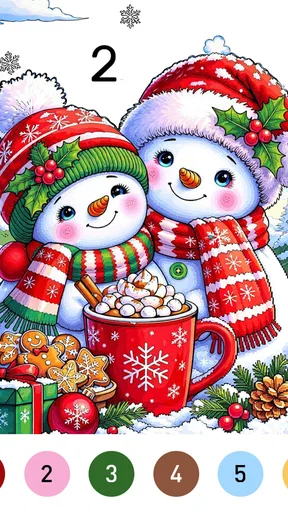
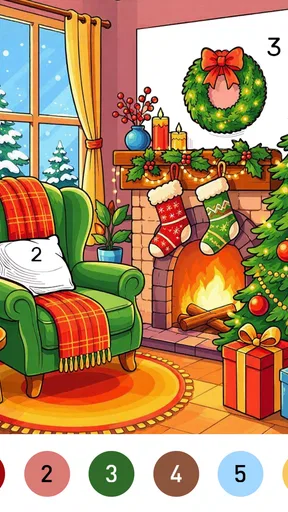
 Analysis by AppCompare
I tend to reach for a coloring game when I want something quiet to do for a few minutes, not a challenge that demands my full attention. Santa Color By Number Games is aimed squarely at that sort of break: a festive board-style coloring game built around filling numbered areas with colors. Its appeal is easy to understand, though whether it suits you depends on how much variety and control you expect from a coloring app.
A quick way to decide if the format suits you
Before installing, I would ask myself one simple question: do I enjoy following a visual guide, or do I want to make the artistic choices myself? This game is for the first mood. Its numbered approach gives each session a clear next step, which can be especially welcome when I am tired and do not want to plan a picture. Someone who treats coloring as a way to experiment with personal color combinations may find that same guidance restrictive.
The seasonal focus matters, too. I can imagine reaching for Santa-themed pictures when holiday decorations are out or when I want a small festive activity, but that mood may not be what I want every month. If you are choosing a single coloring app to use throughout the year, a broader collection is probably the safer pick. If you specifically want Christmas imagery, the narrower theme becomes a useful filter rather than a drawback.
A calm pace, not a race
I like that this game gives a quiet break a clear shape: I can settle on one color, fill a few numbered spaces, and stop without needing to plan a whole picture. That steady pace is also the best way to judge whether the format suits me, so next I’d look at how it feels when a short session turns into a longer one.
What the basic loop feels like
The central task is to match colors to numbered sections in a picture. That makes the game approachable even if you have never used a paint-by-number app before: you can focus on one small area at a time rather than choosing a palette and planning a design from scratch. The Christmas theme gives the activity a seasonal mood, but the underlying attraction is the low-pressure rhythm of completing a picture gradually.
I would think of it as a short-session game. A few minutes can be enough to make visible progress, and there is no need to treat every visit as a long session. That matters for people who want a gentle distraction while waiting for a kettle, taking a break between tasks, or winding down before bed. It is less suited to someone looking for strategic board play, competition, or a game with a demanding progression system.
Speed expectations and a useful way to play
Numbered coloring naturally favors deliberate tapping over rapid action. I would not choose it for a test of reflexes; the satisfying part is steadily working through the image. If your device responds promptly to taps, the pace should feel relaxed rather than sluggish, but the game’s format is not designed to make speed the point.
Worth Reading Before You Choose

Baby Panda World Brings Quick Play to Modern Phones, but Its Game Library Feels Busy

ESPN’s Live Game View Makes Following Close Games Easier

QuizzLand Review: A Good Fit for Short Trivia Breaks, Not Every Player

Basketball Stars: Multiplayer Is Fast, but Can It Recover When Matches Go Wrong?

WEBTOON Turns Phone Updates Into a Better Reading Routine

Link to Windows Runs on Shared Habits, Not Social Feeds
A practical approach is to work through a picture in small passes. I find it easier to focus on one color at a time, especially when I am interrupted often, than to jump around the image looking for scattered sections. It also makes progress easier to pick up again: when you return, you can scan for the next matching areas instead of having to remember a complicated plan. That workflow is particularly helpful during a commute or other stop-and-start moments, though I would avoid coloring while moving if it makes tapping uncomfortable.
The trade-off is that repetitive tapping can become noticeable when you want to finish a large or detailed image in one sitting. This is a relaxing activity, but it is still a sequence of small inputs. If you prefer creative coloring where you can freely choose shades, blend colors, or draw your own shapes, a full-featured art app will give you more freedom. This game’s numbered structure exchanges that flexibility for a clearer, simpler task.
When a session gets longer
There is a difference between a quick picture session and staying with the game for a long stretch. During a short break, the straightforward coloring loop is its strength: I can settle in without learning a control scheme or making many decisions. Over a longer session, the same simplicity may feel repetitive if I am not in the mood for another numbered image.
For heavy use, I would treat it as one option in a rotation rather than assume it will hold my attention all evening. Try a picture, take a pause, and come back when the activity sounds pleasant again. That is not a technical requirement; it is simply a good way to keep a calming game from turning into a chore. People who enjoy the steady completion of paint-by-number pictures may happily spend longer with it, while players who need changing objectives may tire of the core loop sooner.
One small but useful choice is to use it as a transition rather than a reward you have to earn: a short coloring break between work blocks, for example, can feel more restful than switching to a fast, competitive game. If you use your phone right before sleep, keep the session brief and adjust your screen brightness to your comfort. Those habits make more difference to a relaxing evening than trying to complete a picture as quickly as possible.
A realistic routine might be to open it while waiting for an appointment, complete a few areas in one color, then put the phone away when your name is called. That is a better fit than starting a picture when you have only a few seconds and expect to finish it. The game’s appeal is incremental progress; letting a session stop naturally makes the task easier to return to without turning spare time into a completion target.
For parents considering it for a child, I would set expectations around both screen time and purchase prompts before handing over the phone. The Everyone rating speaks to a broad audience, but it does not replace a household decision about when a child can play or whether purchases are allowed. A calm activity can still hold attention longer than intended, so a simple time limit may be more useful than relying on the game itself to signal when to stop.
Reliability without overpromising
I would judge reliability here mainly by whether the app lets you settle into coloring without unnecessary friction. Its simple format gives it a modest job to do, and that is a positive: there are no complicated rules to relearn each time you open it. Still, stability and responsiveness can vary with the phone, its available resources, and what else is running, so I would not treat a smooth experience on one device as a guarantee for every device.
If the game pauses or closes unexpectedly, the sensible first steps are the ordinary ones: reopen it, check that the phone has enough free memory, and make sure the operating system is compatible. I would avoid repeatedly tapping during a momentary delay, since that can make it harder to tell whether an input registered. If you have made progress on a picture, check what remains when you return before starting over; this is a useful habit in any casual game, especially when you play in brief sessions.
That is also why I would not install it expecting a resource-heavy visual showcase. The experience is centered on numbered coloring, not elaborate action or complex 3D scenes. That suggests a lighter kind of play, but it does not establish exact battery use, storage needs, or performance on a particular handset. If you have an older phone, close other demanding apps before a longer session and see how it behaves in your own routine.
For a fair first impression on an older or busy device, I would try a short session when the phone is not already struggling with several demanding tasks. Notice whether taps register as expected and whether returning to the game feels straightforward. If the experience is comfortable then, there is little reason to assume you need to change your setup; if it is not, reducing other activity on the phone is a sensible troubleshooting step before deciding the game is a poor fit.
Device fit and who should pass
The listed minimum operating system is version 7.1, so it is worth checking that your device meets that baseline before trying to install it. The game is rated for Everyone, which makes its accessible coloring premise suitable for a broad audience; parents should still use their usual judgment about screen time and any optional spending. The current version is 1.0.5, so keeping the app current is a sensible first step if you run into a problem.
Santa Color is free to start, while optional in-app purchases range from $0.99 to $59.99 per item. I recommend deciding in advance whether you are comfortable with purchases, particularly if a child will use the phone. The existence of paid items does not mean you need to buy anything to appreciate the basic idea, but the price range makes it worth checking any purchase prompt carefully rather than tapping through automatically.
This is a good fit for people who like holiday imagery, enjoy completing pictures, or want a gentle activity that does not ask for fast reactions. It may also suit someone who finds open-ended drawing intimidating and would rather follow a clear color-by-number guide. I would skip it if you want multiplayer board-game rules, a competitive leaderboard, a broad digital painting toolkit, or a non-seasonal theme that feels appropriate all year. A general coloring app is likely a better match if you want a wider subject range or more control over the art.
It is also worth thinking about how you usually use casual games. If you want something to play with another person, this is not a substitute for a turn-based board game: the coloring activity is a personal, quiet pursuit rather than a shared contest. If you mainly want to occupy your hands while listening to a podcast or taking a low-key break, the simple task may fit better than a game that asks you to read dialogue or react to changing events.
The free starting point makes it reasonable to try the format before deciding whether it belongs on your home screen. I would avoid treating optional spending as a way to solve a mismatch in taste: if the Christmas subject or repeated coloring is not enjoyable, paying more is unlikely to make the core activity feel different. Checking purchase prompts deliberately is the practical choice, especially on a shared device.
How it compares with other coloring choices
Compared with a paper coloring book, this format is tidier and easier to pick up in spare moments: there is no need to carry pencils or choose colors before beginning. The exchange is that a screen cannot reproduce the feel of physical materials, and a numbered design leaves less room for personal interpretation. If the tactile part of coloring is what relaxes you, paper may be more satisfying.
Compared with an open canvas or drawing app, the guided approach reduces decision-making. You are following numbered sections rather than inventing a composition, which is helpful when you want a low-effort break. But that structure also limits creative freedom. I see it as a focused alternative, not a replacement for digital art tools. The Christmas framing is another point of distinction: it gives the game a specific seasonal character, but players seeking a more neutral everyday collection may prefer a broader coloring app.
There is a useful middle ground between the two alternatives. A paper book is better when I want to step away from the screen and enjoy pencils, while an unrestricted drawing app suits a moment when I want to sketch or make choices about the image. This game makes more sense when I want the phone-based convenience of a small task but do not want to decide what to draw. Choosing based on that mood is more helpful than expecting one format to replace the others.
One practical trade-off is where your attention goes. With a physical book, I can see the page and materials laid out at once; with numbered coloring on a phone, I can work in short pockets of time, but I am still looking at a screen. If screen fatigue is already part of your day, a paper book may be the kinder break. If carrying supplies is the obstacle, the digital format has a clear convenience advantage.
A seasonal game with a clear audience
Art Coloring Group is the developer behind the game. It has an average rating of 4.8 from around 250 ratings, with 28 written reviews, and has passed 10K installs. Those figures suggest that people who find this type of coloring appealing have responded positively, though they cannot tell you whether its pace or theme will match your own preferences.
My recommendation is simple: try it if numbered Christmas coloring sounds calming, and judge it by whether you enjoy the process rather than how quickly you complete a picture. The free entry point makes that an easy decision, while the optional purchases are a reason to keep an eye on prompts. For a brief, low-pressure break, Santa Color By Number Games has a clear purpose. For open-ended creativity, intense play, or a broad library of year-round subjects, I would choose a different kind of app.
My final performance expectation is modest in a good way: this is a game whose appeal comes from a calm, understandable task, not from pushing a phone with demanding action. I would try it for a short coloring break, then decide based on how comfortably it responds on my device and whether the seasonal pictures hold my interest. If those two things line up, it can earn a place in a casual rotation; if I want variety, competition, or unrestricted art tools, I would move on without expecting this focused format to become something else.
Pros
- Simple tap-to-fill coloring is easy to pick up.
- Numbered palettes help keep coloring organized.
- A relaxing activity for short breaks.
- Festive artwork suits the Christmas season.
- Progress can make it easy to return to unfinished pictures.
Cons
- Coloring by number offers limited freehand creativity.
- Small areas may be fiddly on a phone screen.
- Some pictures or features may require payment.
- Frequent ads can interrupt the coloring flow.
- The seasonal theme may feel repetitive outside the holidays.
FAQs for Santa Color By Number Games
What is Santa Color By Number Games?
Santa Color By Number Games is a casual coloring app built around Christmas and Santa-themed pictures. Players fill numbered sections with matching colors to reveal each illustration, making it an easy activity for short breaks or festive downtime. The exact picture selection and available tools can vary by version, so check the app’s current listing and screenshots to see what is included before downloading.
How do you play Santa Color By Number Games?
Choose a picture, then use its color palette and number guide to find the sections that need coloring. Tap or drag over matching areas to fill them in, and continue until the image is complete. Numbered coloring is designed to be straightforward, though tiny sections may require careful tapping. Controls, hints, and other assistance can differ between versions of the app.
Is Santa Color By Number Games suitable for children?
The simple tap-to-color format and cheerful Santa imagery may appeal to children, as well as adults who enjoy relaxing puzzle activities. However, suitability depends on the specific version, its advertising, in-app purchases, and any external links or permissions. Parents should review the store’s age rating and privacy information, and ideally explore the app themselves before allowing a child to use it.
Does Santa Color By Number Games require an internet connection?
Basic coloring may work offline if pictures and other resources have already been downloaded or are stored in the app, but this is not guaranteed for every release. An internet connection may be needed to load new artwork, display ads, restore purchases, or access online features. If offline play matters to you, test the app in airplane mode and check its store description for current requirements.
Is Santa Color By Number Games free to download, and does it contain ads?
The app may be available to download at no initial cost, but free-to-play coloring apps can include advertisements, optional purchases, or both. The availability and price of paid features can change by platform, region, and update. Before installing, review the Google Play or App Store listing for in-app purchase details, ads information, and the developer’s privacy disclosures so there are no surprises.


